Image Compressor & SEO Optimizer
Advanced Free image compressor • reduce the file size – JPG, PNG, and WebP photos significantly without losing visual quality. • Exact Target Size • EXIF Stripper & SEO Metadata Injector
Drop your images here, or Browse
Supports PNG, JPG, WebP, AVIF, BMP • Batch Processing Active
What is Image Compressor, and Why Does It Matter?
👈Click Here
High-resolution images often slow down your website, hurt your Core Web Vitals, and eat up storage. Blimic Image Compressor is a next-generation compression tool engineered to drastically shrink image file sizes without sacrificing visual fidelity. In simple terms, every digital image is made up of thousands of tiny pieces of data called pixels. Image compressor is a clever process that intelligently reduces the total number of bits required to represent an image. It essentially shrinks the file size by removing redundant or non-essential data.
You need a photo compressed to an exact target size (e.g., under 100 KB) for passport applications, portals, and web publishing, or you need lossless PNG optimization with 100% transparent backgrounds intact, our tool delivers enterprise-grade performance completely free.
How-To Use Image Compressor ?
Our Tool is so simple and user friendly. You can use Our Image compressor in Simple Steps –
👈Click Here
- Upload Your Files:
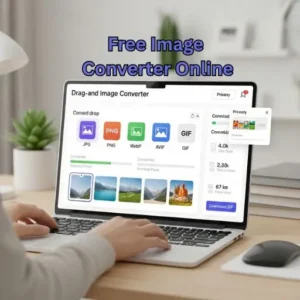
Drag and drop single or multiple images (PNG, JPG, WebP, AVIF, BMP) into the drop zone, or click to browse from your device. - Choose Your Optimization Mode:
- Lossy Mode: Delivers maximum size reduction (up to 80%) with imperceptible visual difference.
- Lossless Mode: Strips bloat and reorganizes image data while keeping every single pixel 100% identical.
- Target Size Mode: Simply enter your desired size (e.g., 100 KB or 2 MB), and our binary search algorithm automatically calculates the optimal compression ratio.
- Configure Custom Output (Optional):
Convert between JPEG, PNG, modern WebP, or next-gen AVIF. You can also specify max width/height boundaries to downscale dimensions proportionally. - Fine-Tune Metadata & Privacy:
Keep “Strip Camera & GPS Data” checked to eliminate privacy risks and shave off an extra 15–50 KB, or inject custom SEO Title & Alt Tags directly into the image binary. - Compress & Download:
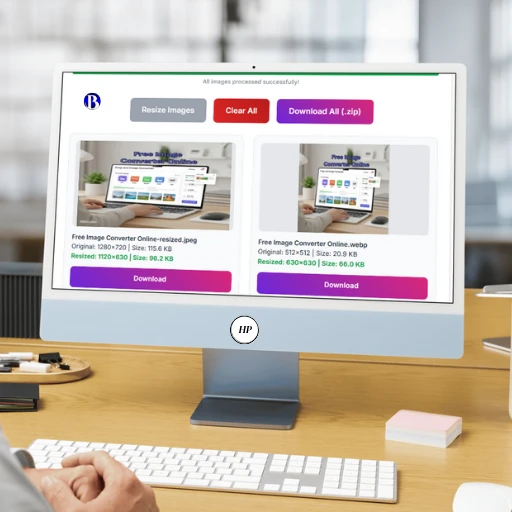
Click “Compress All Images” to process the queue in real-time, then grab individual downloads or click “Download Package (.ZIP)” to save everything in one click.
Why Blimic Image Compressor Beats Traditional Tools
👈Click Here
| Feature | Standard Compressors (e.g., TinyPNG | Blimic Image Compressor |
|---|---|---|
| Exact Target KB Compression | ❌ Not available (Guesswork only) | Yes (Binary Search Solver) |
| Data Privacy & Security | ⚠️ Uploads files to remote servers | 100% Client-side (Zero uploads) |
| Transparent PNG Handling | ⚠️ Often flattens to black/white or inflates size | Color Quantization with true alpha channel |
| Batch Processing Limit | ⚠️ Usually capped at 20 files | Unlimited batch processing |
| SEO EXIF Tag Injector | ❌ Not available | Direct Title, Keyword & Alt injection |
| Pricing | ⚠️ Paid subscriptions for heavy usage | 100% Free Forever |
Key Features Built for Creators, Developers & Marketers
👈Click Here
1. Precision Target Size Compression
Say goodbye to trial-and-error quality adjustments. If a government application, job portal, or CMS enforces a strict 50 KB or 100 KB upload limit, simply input your number. Our solver runs mathematical binary search loops to match your target file size without causing blurry artifacts.
2. True Transparent PNG Optimization (Powered by UPNG)
Most canvas compressors destroy transparent PNG backgrounds or output files larger than the originals. We utilize modern palette color quantization to reduce 16-million-color palettes to clean 256 indexed colors—cutting file sizes by up to 70% while keeping transparent edges crisp and smooth.
3. Privacy Protection: Automatic EXIF & GPS Stripping
Every photo snapped on a modern smartphone or DSLR contains hidden EXIF data: your camera model, exact GPS coordinates, date, and device serial numbers. Our built-in EXIF stripper wipes this metadata clean, protecting your personal privacy while shaving off valuable kilobytes.
4. Built-in Image SEO & Media Library Tagging
Boost your Google Image rankings with ease. Toggle our PRO SEO Drawer to embed your custom image title, focus keywords, and author copyright into the image. Plus, use our 1-Click “Copy Alt Tag” button to paste ready-made alt=”” code straight into your WordPress Media Library.
5. Universal Next-Gen Format Conversion
Instantly convert heavy JPEGs and PNGs into modern WebP or ultra-efficient AVIF formats recommended by Google PageSpeed Insights for faster mobile load times.
Why To Use Image Compressor?
Reducing file size is just the beginning. A powerful image compressor transforms how you work with digital images. Here are six compelling reasons why you should be optimizing your images:
👈Click Here
- 🚀 Boost Website Speed: Large, unoptimized images are the number one cause of slow-loading websites. A slow site frustrates visitors and gets penalized by search engines like Google. Compressing images ensures your pages load instantly, significantly improving your SEO ranking and user engagement. Faster loading times improve user experience and SEO ranking.
- 💾 Reclaim Valuable Storage Space: High-resolution photos from modern smartphones and DSLR cameras can consume gigabytes of space. By compressing them, you can free up a massive amount of storage on your phone, laptop, and cloud drives, making room for more memories.
- 📧 3. Share Images Instantly, Without Hassle: Ever faced the “File too large to attach” error when sending an email? Or waited forever for an image to send on WhatsApp? Compressed images are lightweight and can be shared across any platform in seconds, without any friction.
- ✨ 4. Embrace Next-Gen Formats like WebP & AVIF: Move beyond JPG and PNG. Our tool allows you to convert your images to modern, next-generation formats like WebP and AVIF. These formats offer superior compression, meaning they deliver even smaller file sizes for the same (or better) quality, giving your website a competitive edge.
- 📈 5. Enhance User Experience (UX): Nobody likes to wait. Fast-loading visuals create a seamless and professional user experience, encouraging visitors to stay longer on your site and interact with your content.
- 💰 6. Save on Bandwidth and Hosting Costs: For websites with significant traffic, every byte counts. Smaller images consume less bandwidth when they are downloaded by users, which can lead to tangible savings on your monthly web hosting bills.
FAQ about our Image Compressor
We hope you found our free Image Optimizer helpful! If you did, a quick share would mean the world to us.
Your feedback is the most valuable part of our development. Do you have a brilliant idea for a new feature, or a suggestion to make this tool even better? Please don’t hesitate to reach out.
You can contact us directly via:
Page: Contact Us
Email: Blimicnews@gmail.com
Image Compressor
Use Tool HOT 🔥
Converter
Use Tool HOT 🔥
IMG To PDF Converter
Use Tool HOT 🔥
Word Counter
Use Tool HOT 🔥
Resizer
Use Tool HOT 🔥